Built for K-12 Schools

Everything Your School Needs.
All In One Place.

The complete communication and planning hub that keeps teachers, administrators, and substitutes connected. Announcements, teams, calendars, email, sub plans, and more — all from a single dashboard.

100%
Free to Use
10+
Built-in Tools
0
Apps to Install
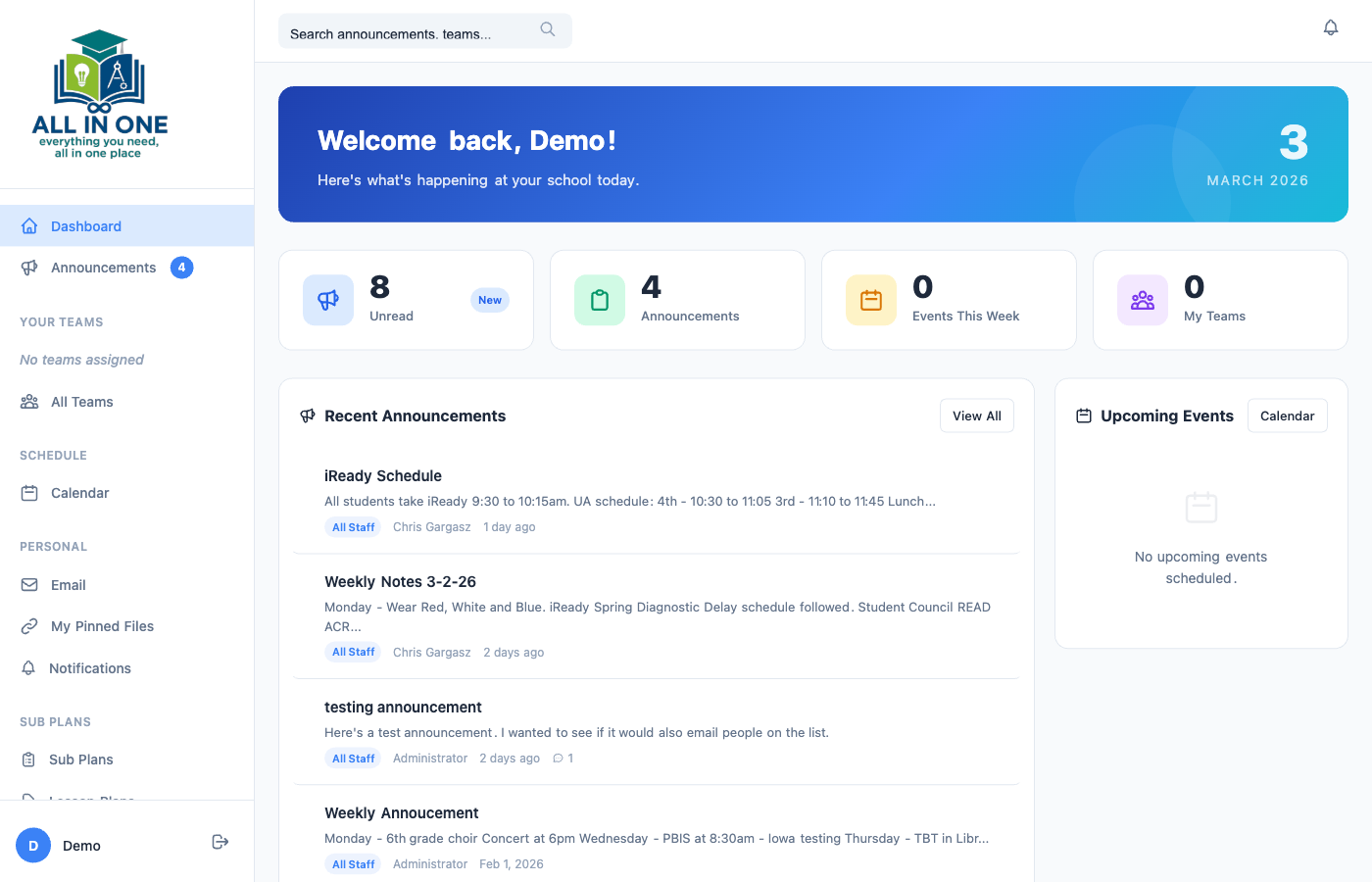
AllInOne School Dashboard
Announcements
Teams
Calendar
Email
Files
Sub Plans
Command Center

Your School at a Glance

The dashboard brings everything together in one view. See unread announcements, upcoming events, team updates, and quick stats the moment you log in.

  • Real-time unread announcement badges
  • Upcoming events and calendar highlights
  • Quick access to teams, files, and sub plans
  • Personalized welcome with daily school snapshot
Explore Dashboard
Dashboard
Communication

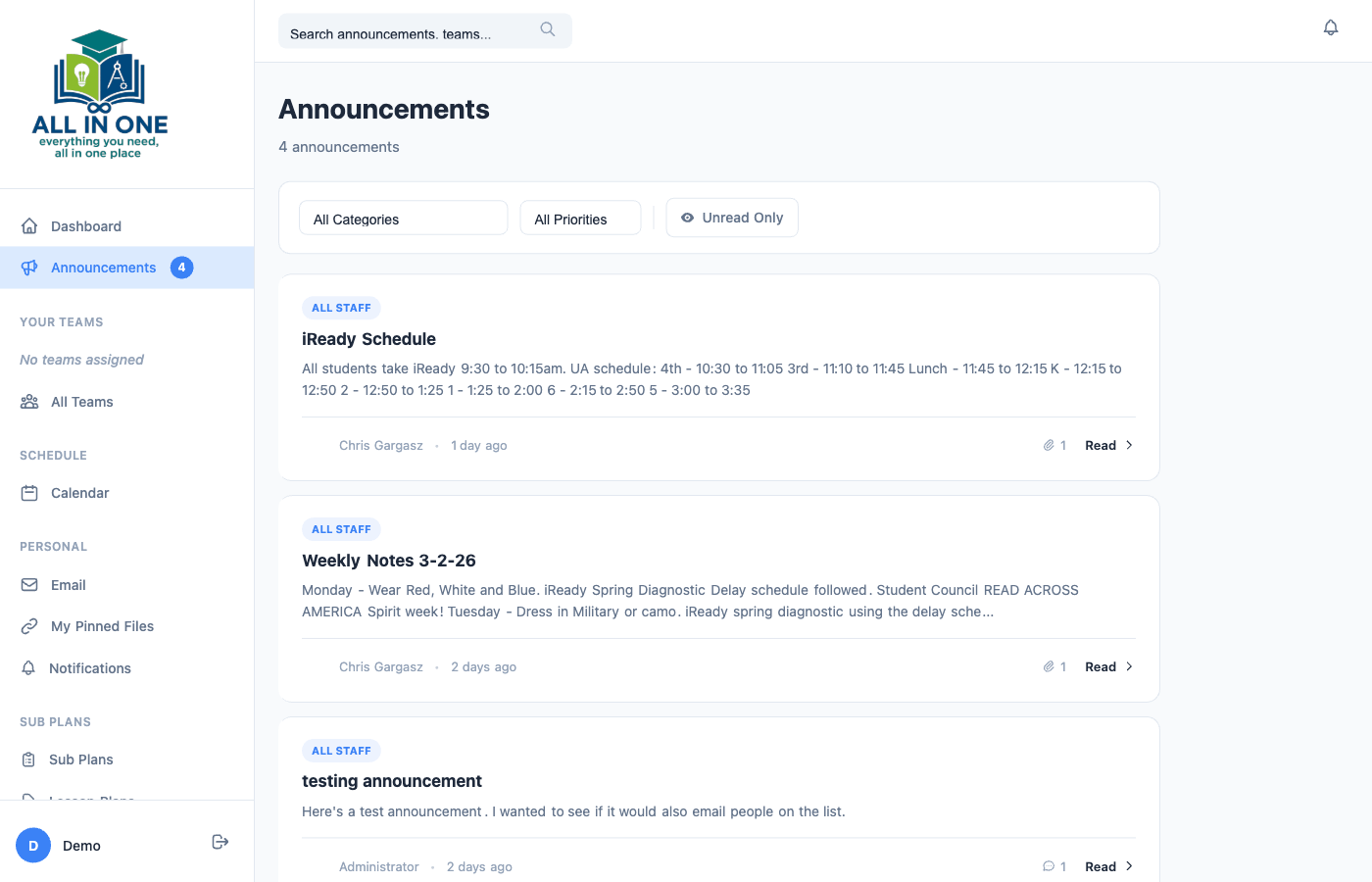
Announcements That Get Noticed

Broadcast important information to your entire staff with categorized, prioritized announcements. Pin urgent messages, attach files, and enable comments for discussion.

  • Categories and priority levels (Normal, Important, Urgent)
  • Pin announcements to the top for visibility
  • File attachments and inline comments
  • Unread tracking so nothing slips through
View Announcements
Announcements
Collaboration

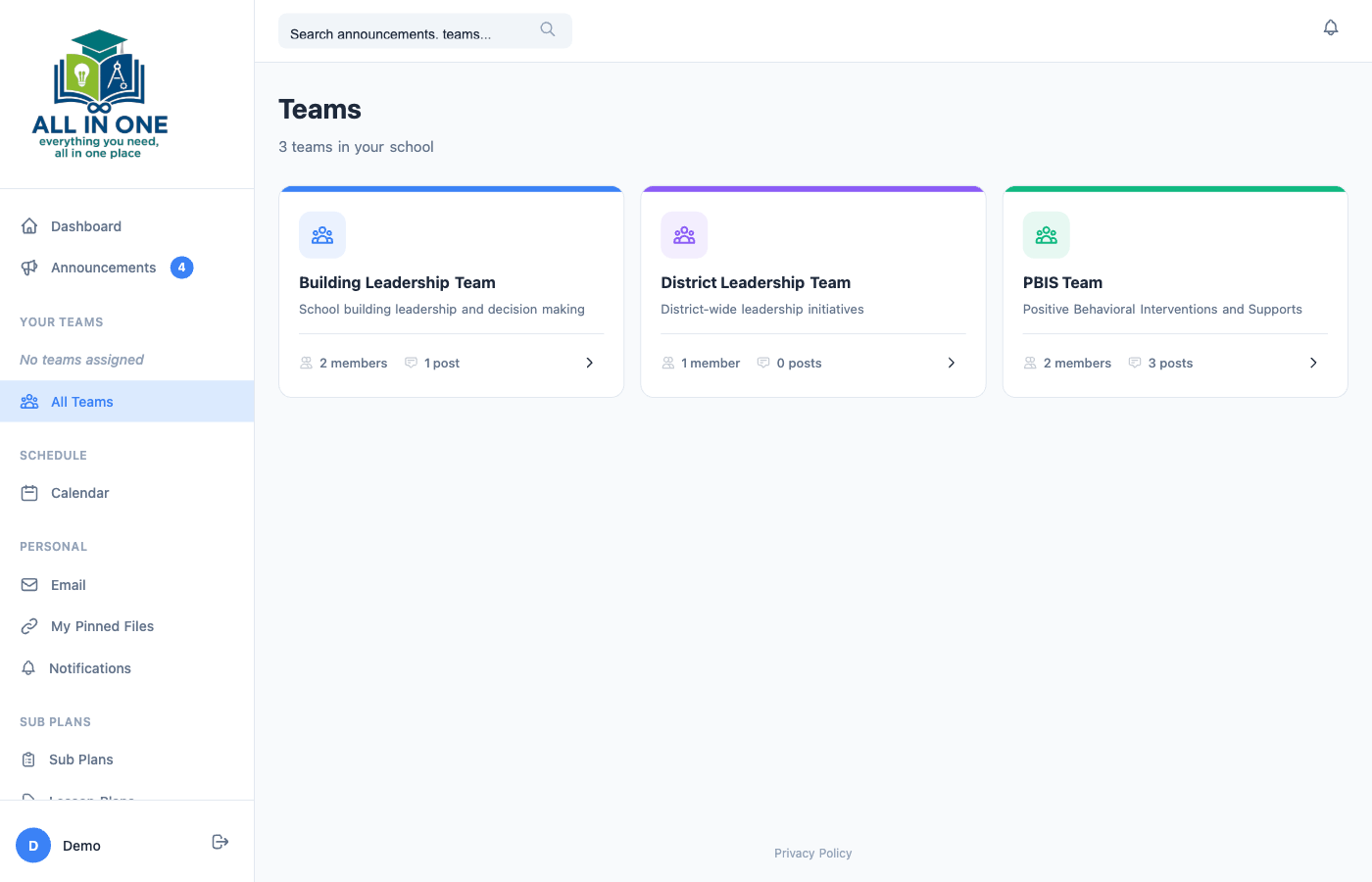
Teams Built for Schools

Organize your staff into grade-level teams, departments, or committees. Share posts, upload files, and keep conversations organized within the groups that matter.

  • Create teams for any group (grade levels, PLC, departments)
  • Team-specific posts and file sharing
  • Assign team leaders with posting privileges
  • See all your teams at a glance from the sidebar
Browse Teams
Teams
Scheduling

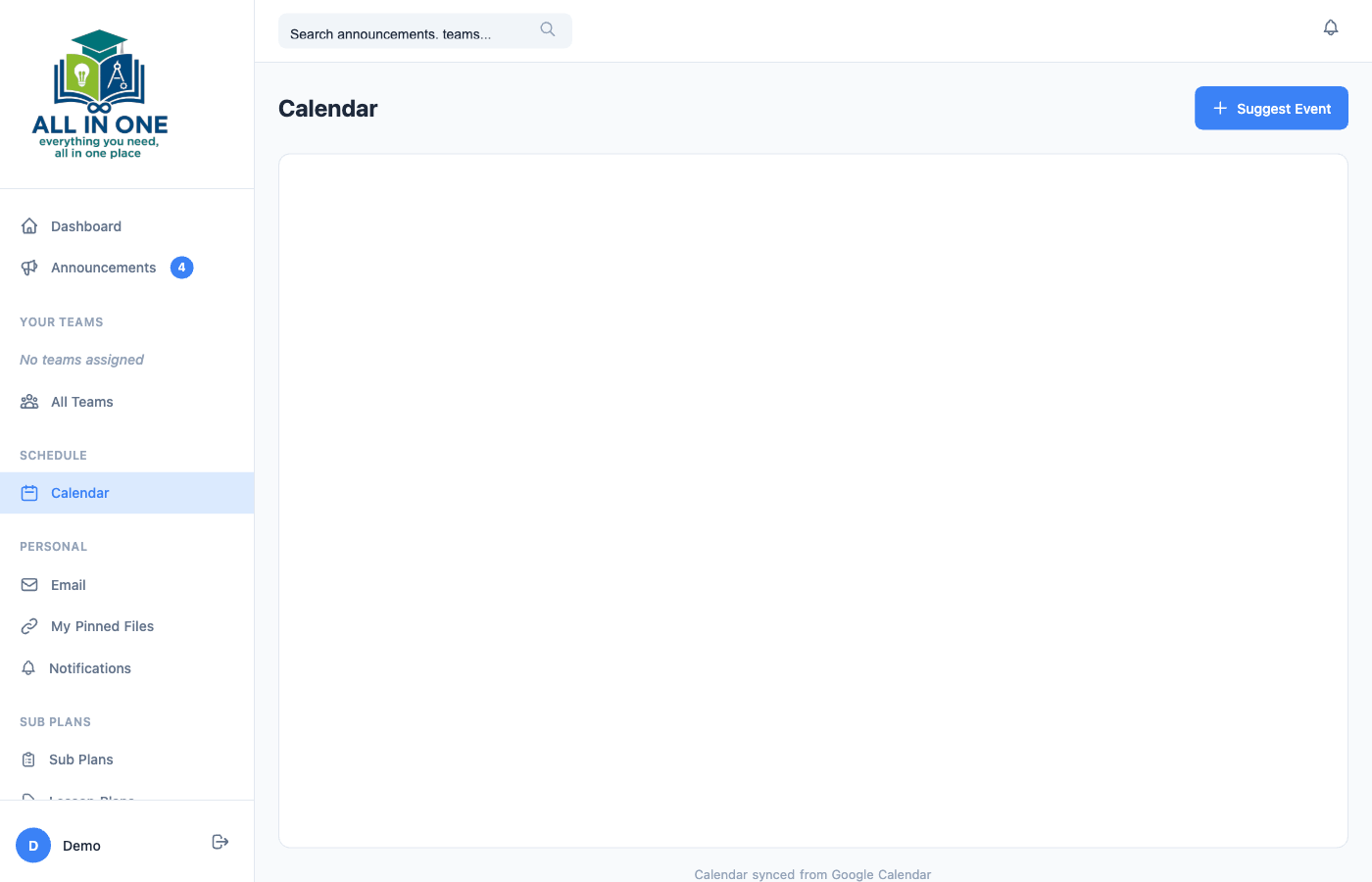
A Calendar Everyone Can See

Keep your school on the same page with a shared calendar. Administrators manage events while staff can suggest additions — creating a single source of truth for every date that matters.

  • Google Calendar integration for seamless syncing
  • Staff can suggest events for admin approval
  • All-day events and time-specific scheduling
  • Team-specific event filtering
View Calendar
Calendar
Integrated Email

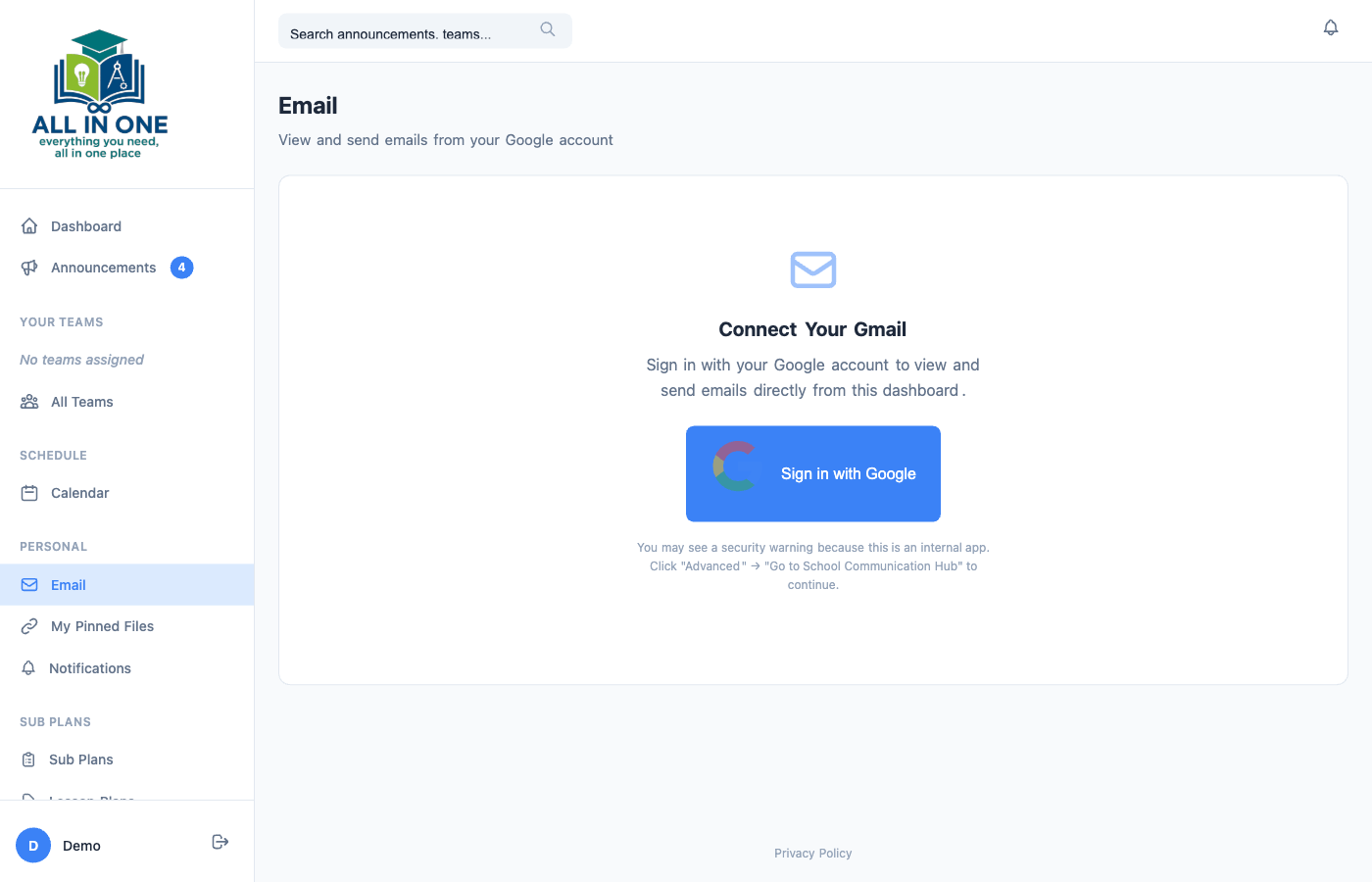
Gmail, Built Right In

No more switching between tabs. Access your Gmail inbox directly from AllInOne School. Read, compose, reply, and manage your school email without ever leaving the platform.

  • Full Gmail integration with OAuth 2.0 security
  • Inbox, Sent, Drafts, Starred, Trash, and Spam folders
  • Compose and reply with rich text
  • Search across all email folders
Open Email
Email Integration
Organization

All Your Files, Pinned & Ready

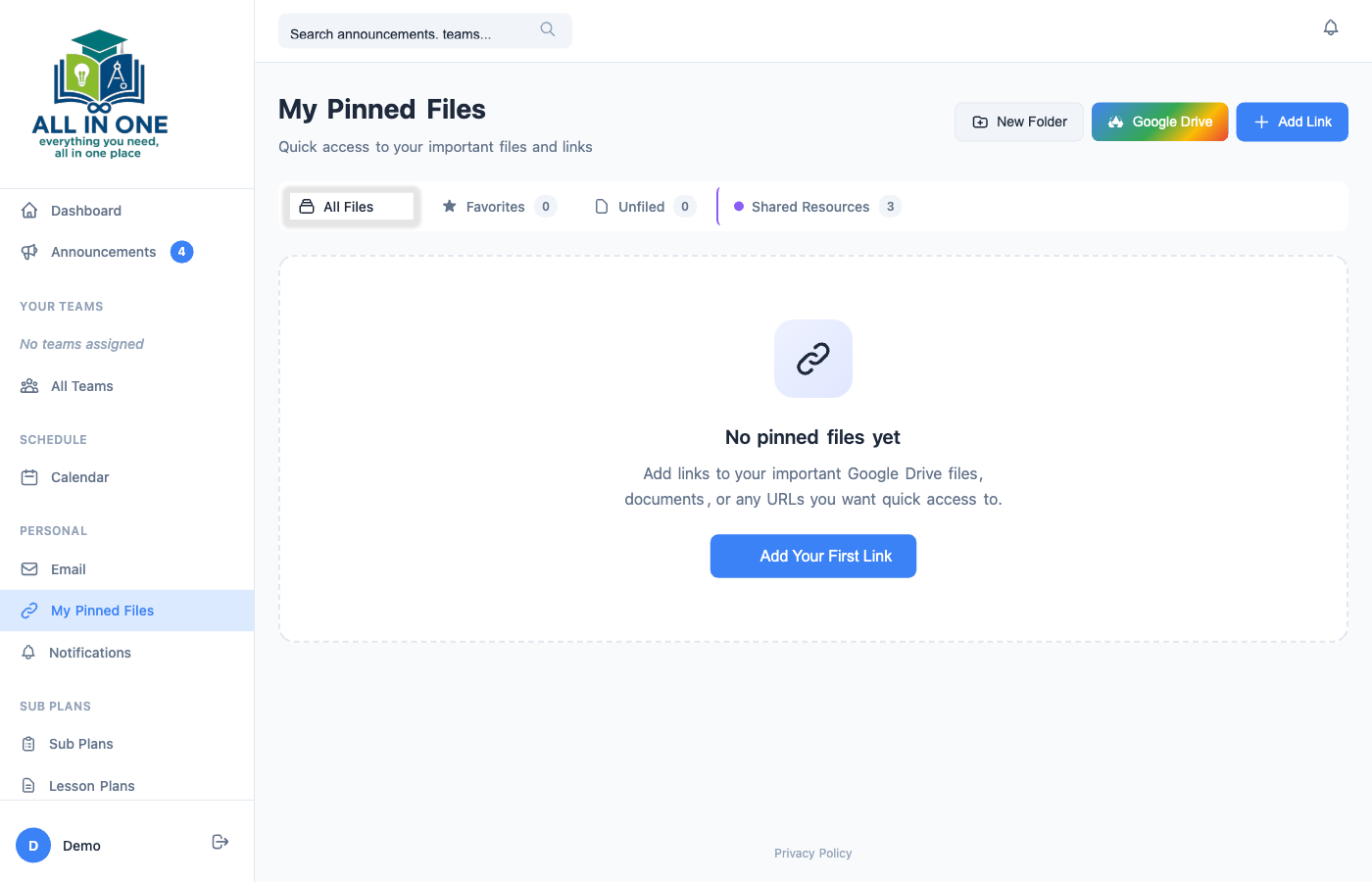
Save links to your most-used files, Google Drive documents, YouTube videos, and websites. Organize them in folders, mark favorites, and access admin-shared resources — all in one place.

  • Google Drive picker integration
  • Organize into personal folders
  • Admin-shared files visible to all staff
  • Smart icons for Drive, PDF, YouTube, and more
View Files
My Pinned Files

Sub Plans That Actually Work

The most stressful part of taking a sick day? Making sure the substitute has what they need. AllInOne School eliminates that stress with a complete sub plans system — create detailed lesson plans, share them instantly via QR code, and let your sub focus on teaching.

Explore Sub Plans
Sub Plans

Lesson Plans a Sub Will Love

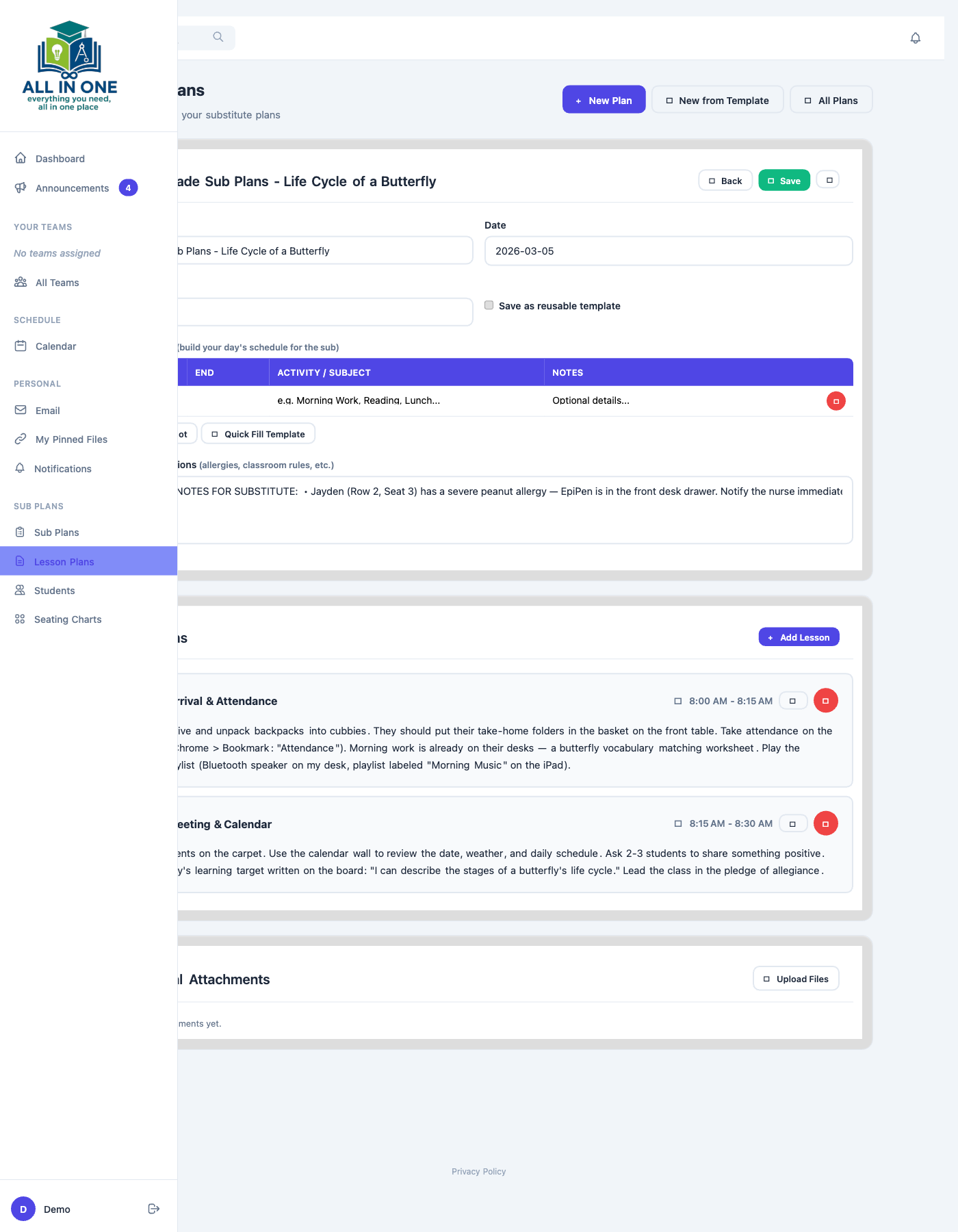
Build detailed, time-blocked lesson plans with instructions a substitute can follow step by step. Attach worksheets, add special instructions about allergies and routines, and share everything with a single QR code.

  • Time-blocked daily schedule with subjects and notes
  • Detailed instructions for every lesson
  • File attachments for worksheets and resources
  • QR code sharing — sub scans and starts teaching
  • Share with coworkers for print-ready materials
  • Save as reusable templates for recurring plans
Create Lesson Plans
Lesson Plans
Classroom Layout

Seating Charts, Drag & Drop

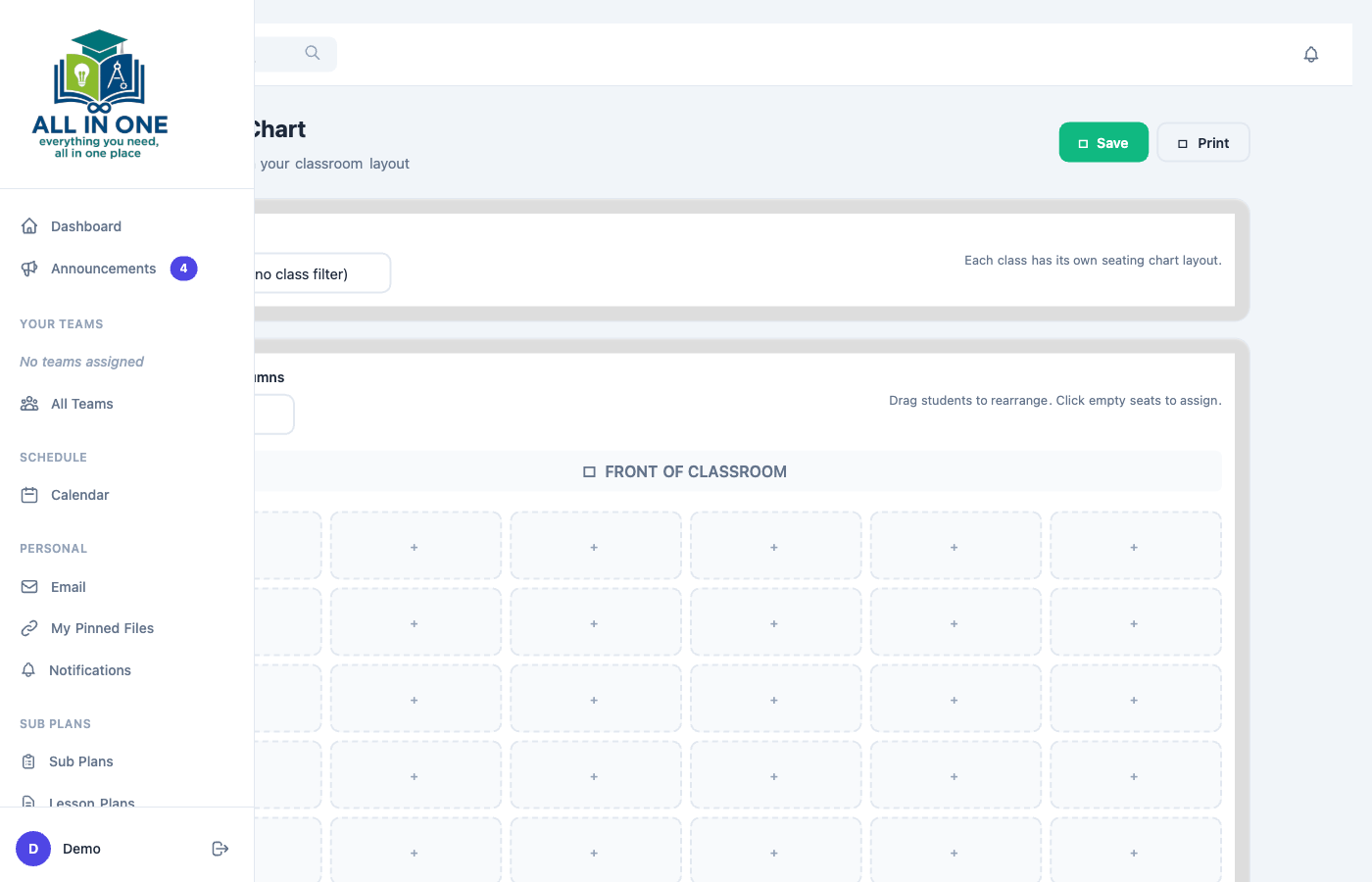
Create visual seating charts for each class with a drag-and-drop grid. Substitutes see exactly where every student sits — no more guessing or asking kids to move.

  • Configurable grid (rows and columns)
  • Drag-and-drop student placement
  • One chart per class for quick switching
  • Included automatically in shared sub plans
Build Seating Charts
Seating Charts
Student Info

Know Every Student

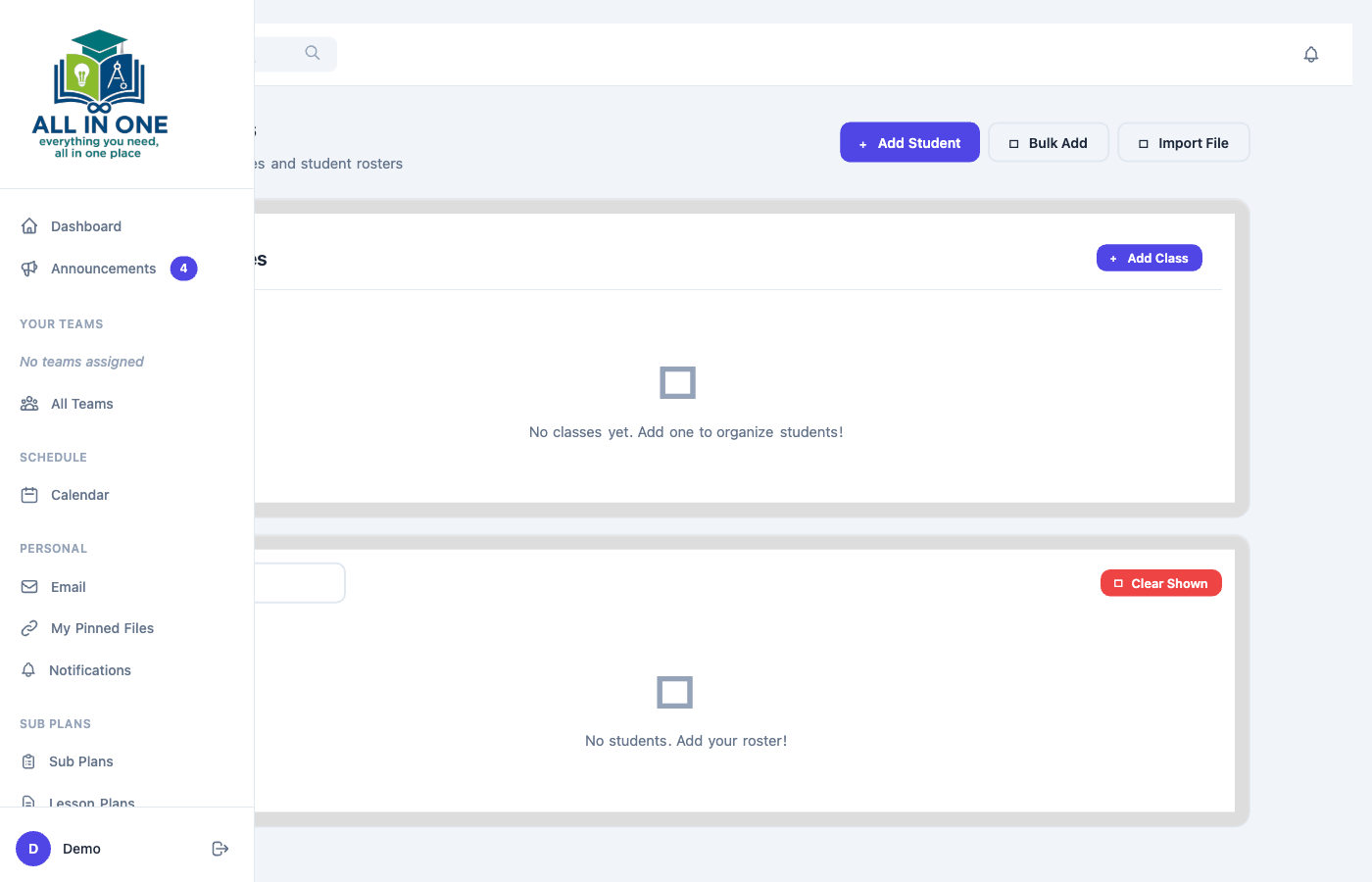
Manage your class rosters with important notes a substitute needs. Allergies, accommodations, behavior plans, and emergency contacts — everything is right where it needs to be.

  • Organize students by class
  • Add notes (allergies, IEP, behavior, medical)
  • Bulk import from CSV files
  • Accessible to substitutes through shared plans
Manage Students
Student Management

And So Much More

Every tool a modern school needs, thoughtfully designed and completely integrated.

🔎

Global Search

Find any announcement, event, or team in seconds with universal search.

🔔

Smart Notifications

Set quiet hours, choose priority levels, and control email vs. browser alerts.

🔒

Forgot Password

Self-service password and username recovery for staff members.

🎨

Whiteboard

Built-in drawing whiteboard for quick sketches and visual instructions.

📄

QR Code Sharing

Generate a QR code for any lesson plan. Sub scans it and starts teaching.

👤

User Management

Admins create accounts, assign roles, and manage the entire staff directory.

📦

Shared Resources

Admin-pushed files and links appear in every teacher's file library.

📱

Mobile Responsive

Works beautifully on phones, tablets, and desktop computers.

Built for Everyone in Your School

Whether you're a classroom teacher, building administrator, or a substitute walking in for the first time — AllInOne School was designed with you in mind.

📚

For Teachers

Stay informed, collaborate with your team, and prepare sub plans that actually make a difference.

  • Dashboard with announcements and events
  • Team collaboration and file sharing
  • Detailed sub plans with QR code sharing
  • Seating charts and student management
  • Gmail integration and pinned files
  • Notification preferences and quiet hours
⚙️

For Administrators

Manage your building's communication, users, and resources from a centralized admin panel.

  • Create and manage user accounts and roles
  • Post school-wide announcements with email blasts
  • Manage calendar events and approve requests
  • Create teams and assign leaders
  • Push shared files and links to all staff
  • Configure site settings, Google APIs, and sections
📋

For Substitutes

Walk in prepared. Scan a QR code and instantly see the full day's plan, seating charts, and student info.

  • Scan QR code to access plans — no login needed
  • Time-blocked schedule with clear instructions
  • Seating charts with student names and positions
  • Allergy alerts and special accommodations
  • Attached worksheets ready to print
  • Leave notes and ratings for the teacher

Ready to Simplify Your School?

AllInOne School replaces scattered tools, lost emails, and frantic sub-plan prep with one clean, powerful platform. Your teachers will thank you.